Registering Company
You can register the Company / Organization giving the minimum basic details on the Registration page
- From the home page click on Register
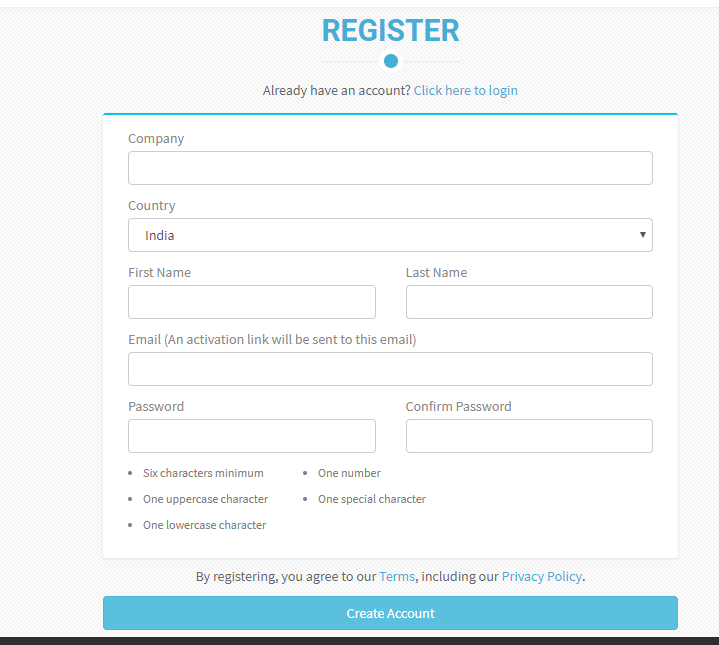
- Registration page is displayed
- Enter details like Company Name, First Name, Last Name, Email, Password and Confirm Password. Country is selected as India automatically.
- Company name must be minimum 3 characters and maximum of 25 characters long, accepts all characters, numbers, special characters and space
- First Name and Last Name will accept only Alphabet and space
- Email must be in a valid format
- Once an account is created the email can’t be changed (after clicking Create Account)
- Password should contain at least one Uppercase letter, one lower case letter, one number and one special character and minimum length of 6 characters
- Enter all the required data and click “Create Account"
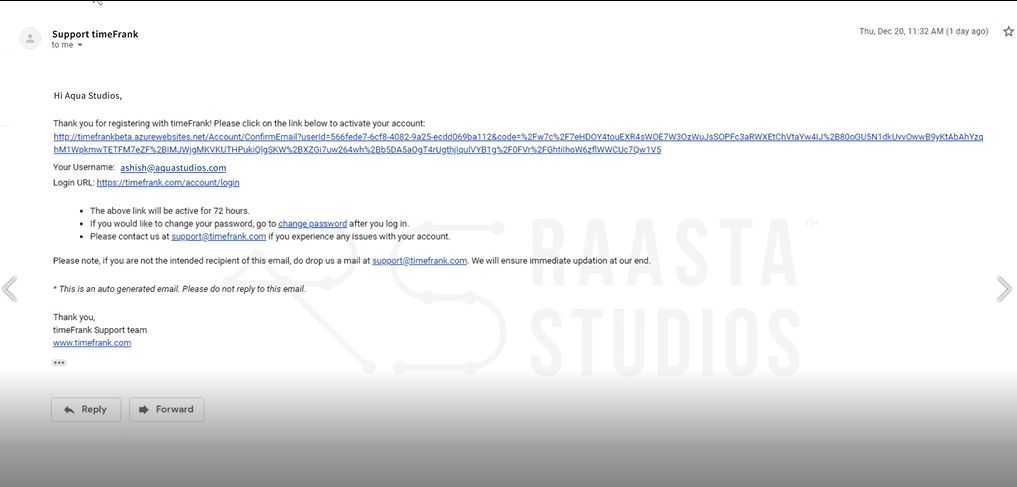
- Screen displays which welcomes you onboard and a confirmation Email will be sent to the Email given while entering the registration details

- Open the email and click on the link present in the mail, it redirects to login page