Add / Edit Branch
Navigate to Company > Head Office
You may or may not have multiple branches, but there should be a Head Office branch
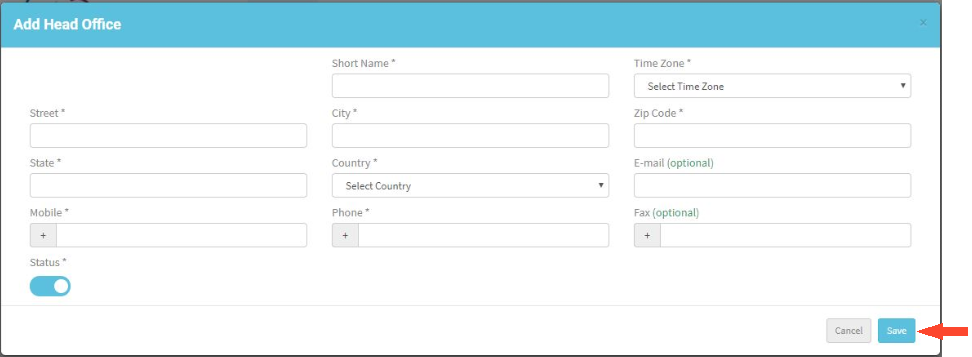
To create a Head Office branch click Add Head Office
- For Head Office branch the branch name can’t be changed.
- Short Name is to represent the branch on the Dashboard to display graphs and can’t exceed 4 characters, accepts all characters, numbers, special characters and space
- Enter Short Name, Time Zone, Street, City and other details
- Click ‘Save'
Now Head Office is added. Can add branches by clicking on ‘New Branch’
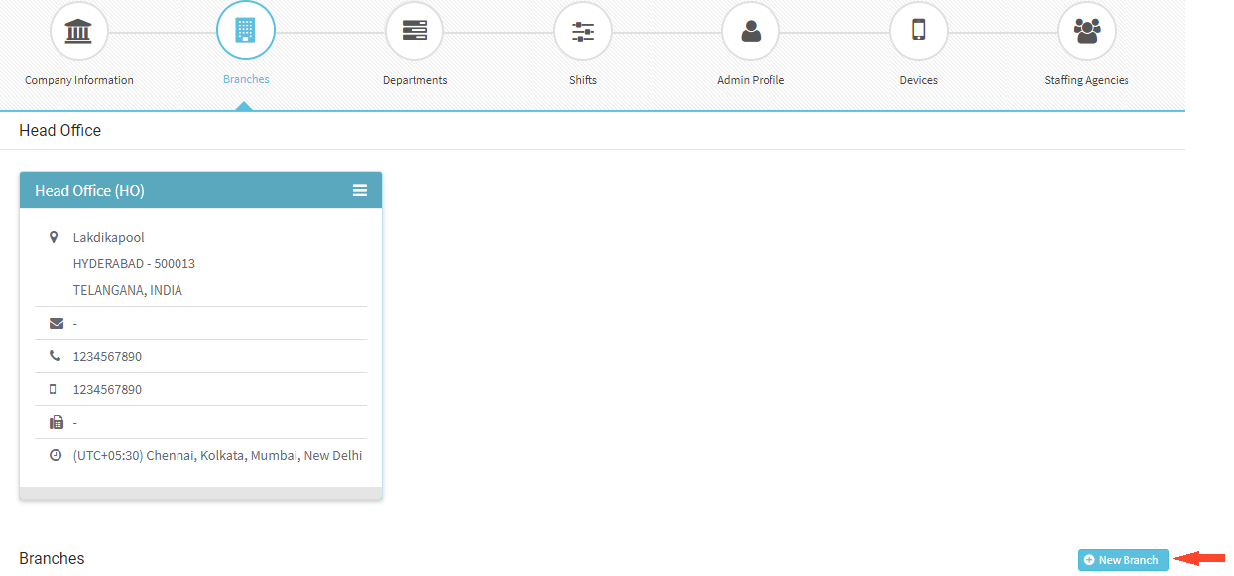
- Can give Branch name according to the requirement
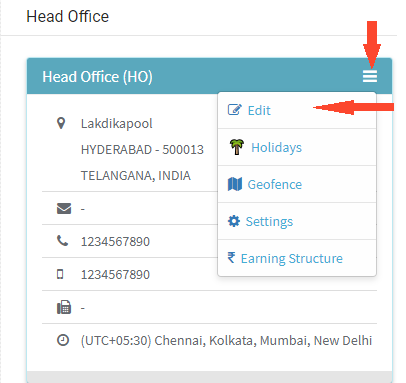
- To edit any branch details, click on 3 lines at top right corner of branch box and select Edit
- Modify the required details and click ‘Save’
Once a branch is created, if you don’t require the branch any more, you can change the status to Inactive, if no employees are not mapped to that branch.
Can assign an Administrator for each Branch separately.