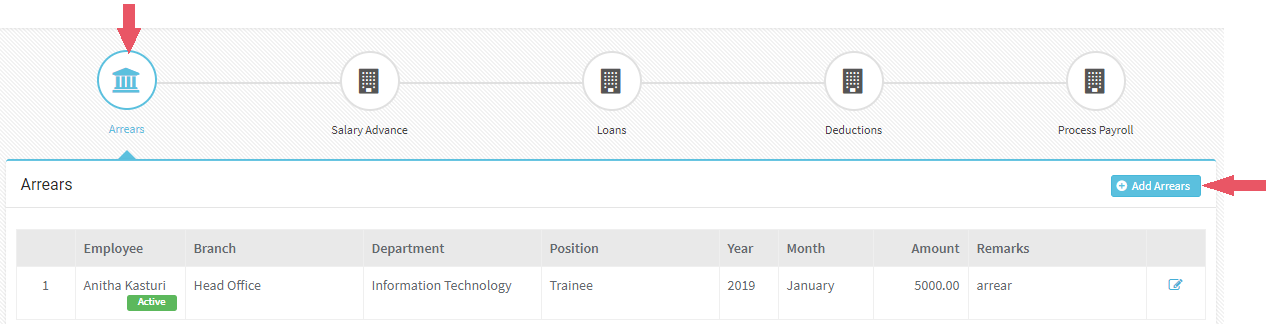
You can add any arrears which has to be added to employee payroll
Click on Add Arrears
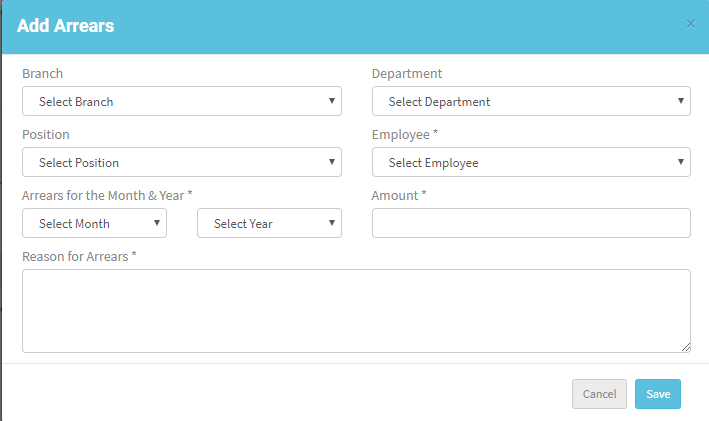
Select required details like Employee name, Arrears for Month & Year, Amount, Reason for Arrears and other details, click Save
These arrears will be added to employee payroll when payroll is processed
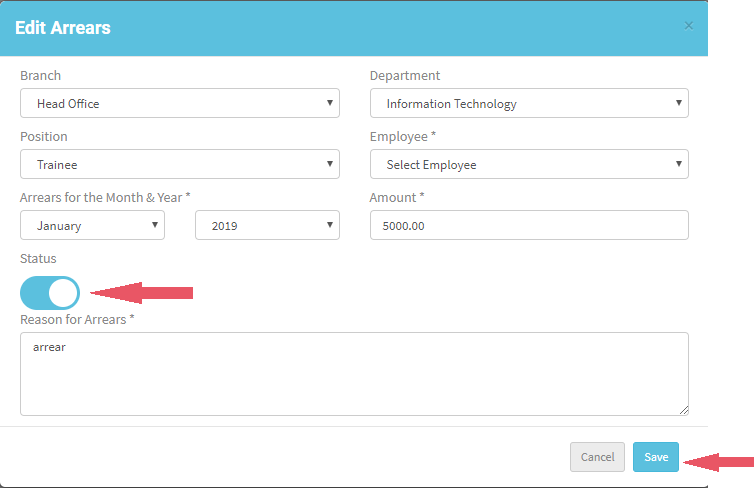
You can change the status of Arrears if it is not required.
Click Edit, change the status and click ‘Save’
Payroll > Salary Advance
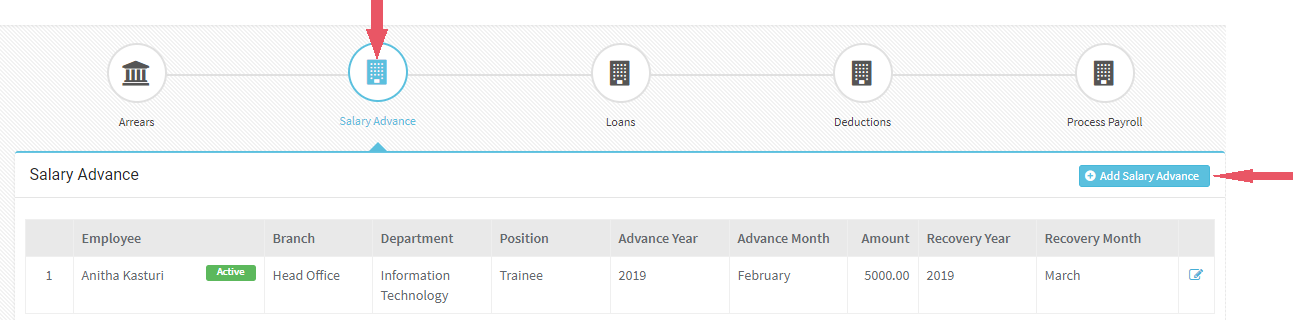
Navigate to Payroll > Salary Advance
Employee can take Salary Advance which will be deducted automatically when the next payroll is processed
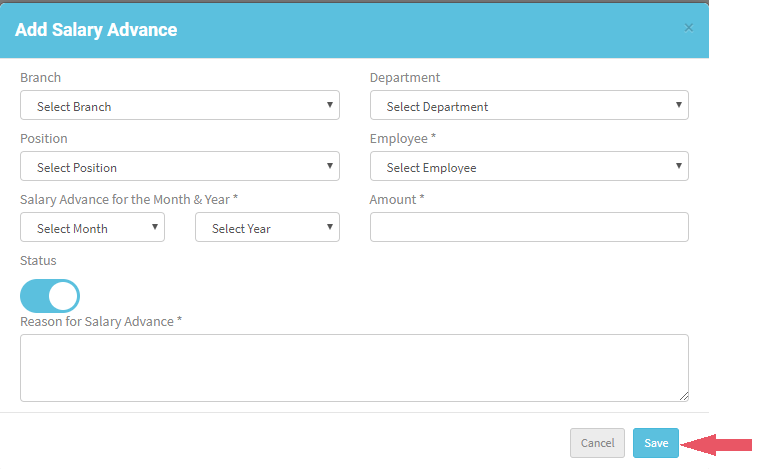
Click on Add Salary Advance
Select required details like Employee name, Salary Advance for Month & Year, Amount, Reason for Salary Advance and other details, click Save. Is there a check/limit on the amount?
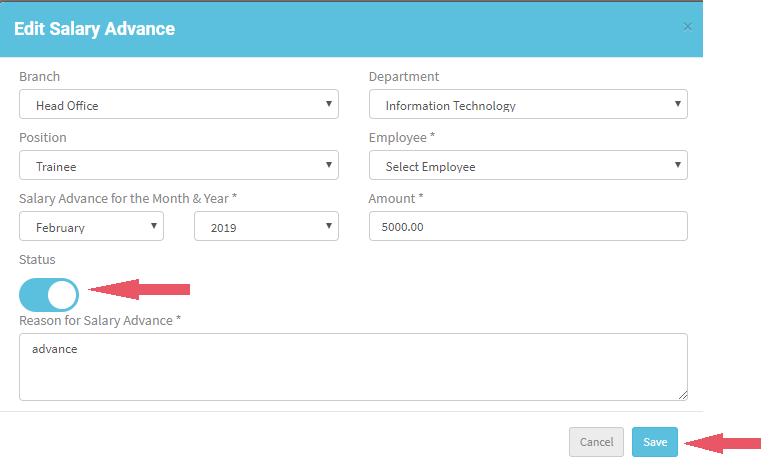
You can change the status of Salary Advance if it is not required.
Click Edit, change the status and click ‘Save’
Payroll > Loans
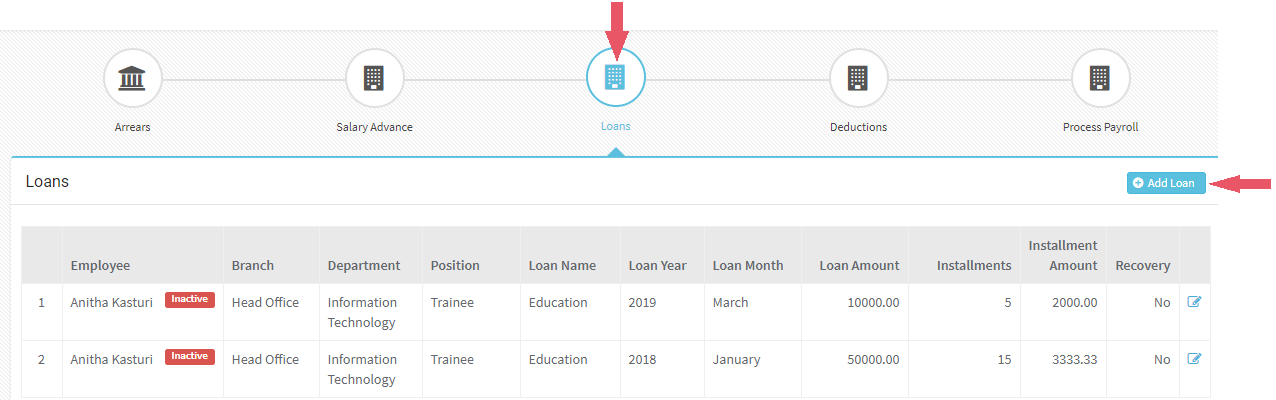
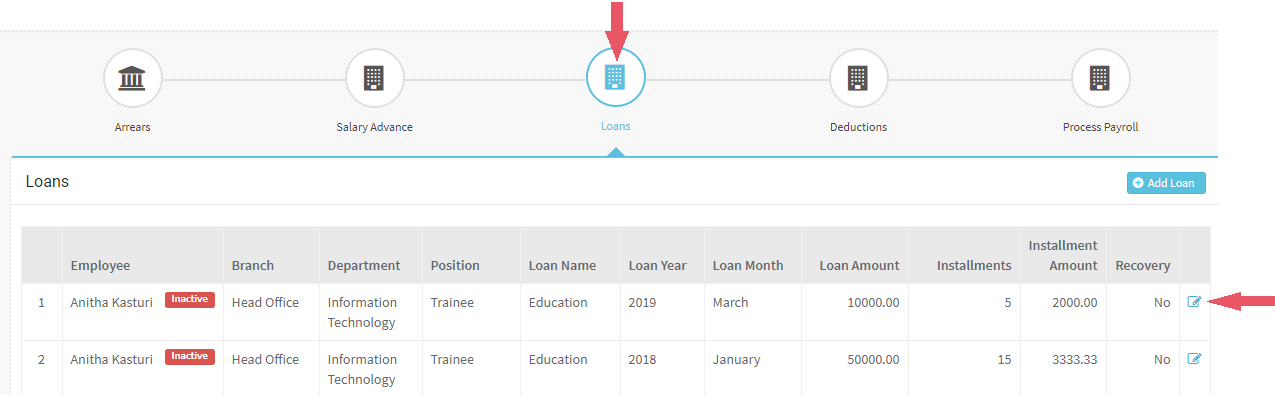
Navigate to Payroll > Loans
Employee can take Loans which will be deducted in installments
Click on Add Loan
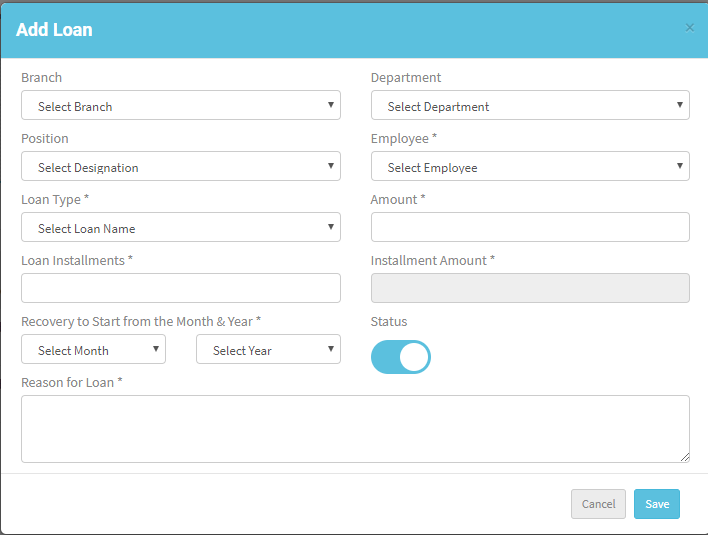
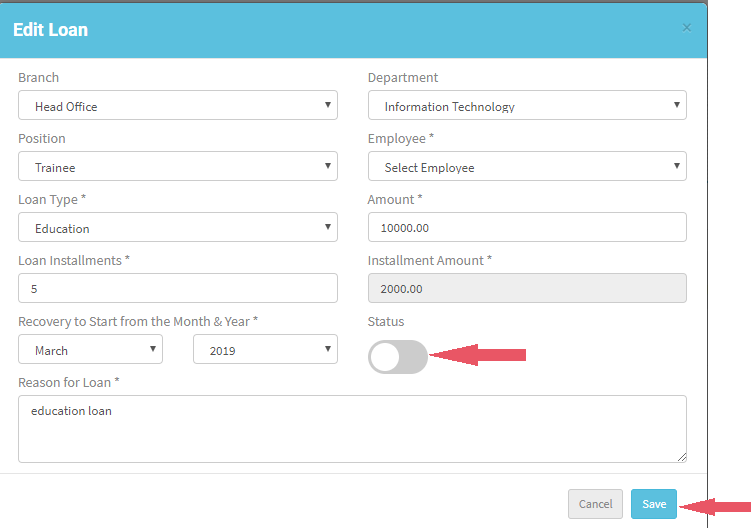
Select required details like Employee name, Loan type, Amount, Loan Installments, Recovery to Start from the Month & Year, Reason for Loan and other details, click Save
Installment amount will be calculated automatically when the Loan installments and Loan Amount is given
You can change the status of Loan if it is not required.
Click Edit, change the status and click ‘Save’
Payroll > Deductions
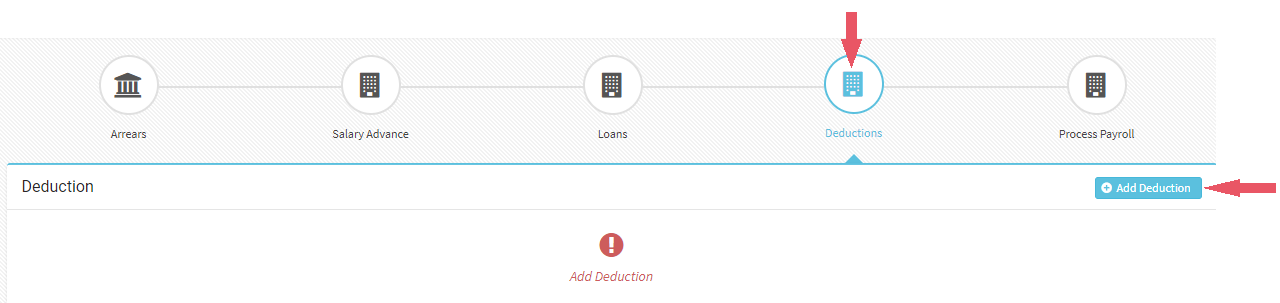
Navigate to Payroll > Deductions
Organization can deduct an amount from salary according to the requirement
Click on Add Deduction
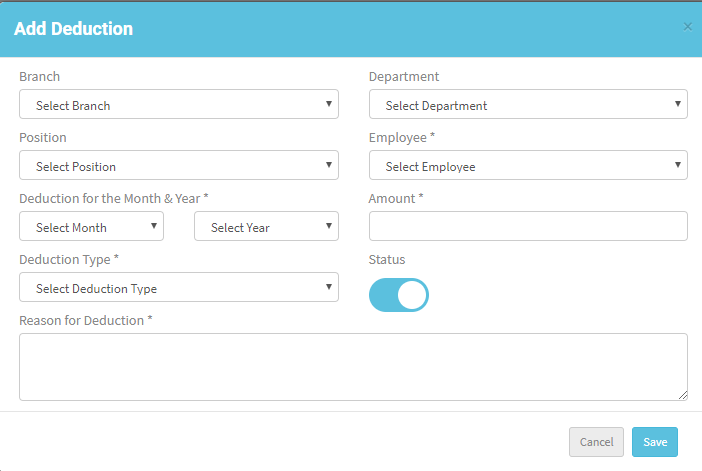
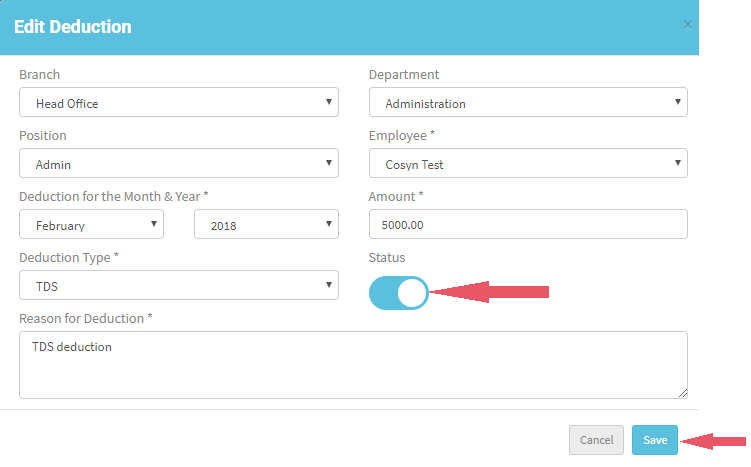
Select required details like Employee name, Deduction for Month & Year, Amount, Deduction Type, Reason for Deduction and other details, click Save. Is there a check/limit on the amount?
Deduction have only 2 options either TDS or Other Recoveries
You can change the status of Deduction if it is not required.
Click Edit, change the status and click ‘Save’
Payroll > Process Payroll
Navigate to Payroll > Process Payroll
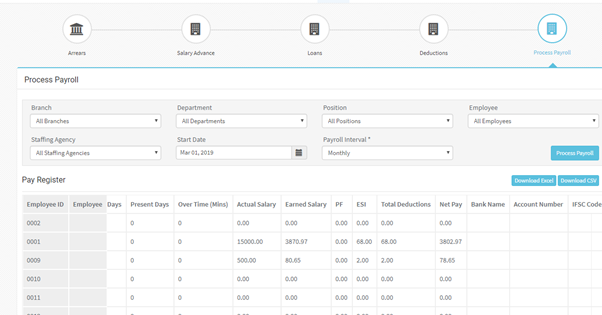
Once all the details given and attendance are done you can Process payroll
You can Process Payroll for one Payroll Interval at a time
Select all the details and click ‘Process Payroll’
Once Payroll is processed you can download the details in Excel or CSV format