Reports
Reports
Click in the ”Reports” on top menu.
Now you can view the Reports of employees
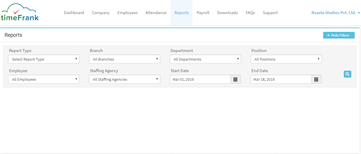
Now select an employee using the given filter options

Upon selection of the desired filter, you will get the below screens:
(Filters Selected: For reference use only)

Report: (Monthly Attendance Summary)
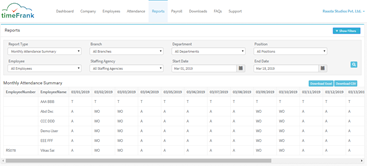
You can also, download the reports in Excel or CSV format, using the download buttons just above the report on the right-hand side.
