Company Settings
Manage Subscription
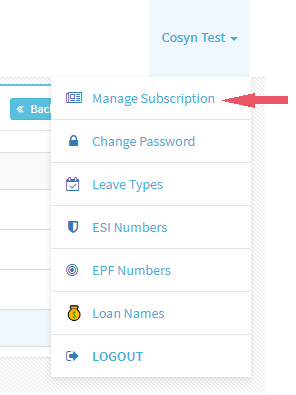
- Click on Manage Subscription under Company Name
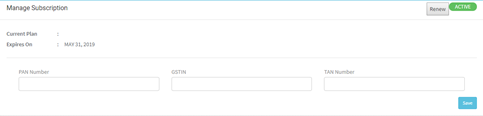
- Enter other details of company like PAN number, GSTIN, TAN Number
- Click ‘Save’
- Click on Renew and you can renew the subscription
Change Password
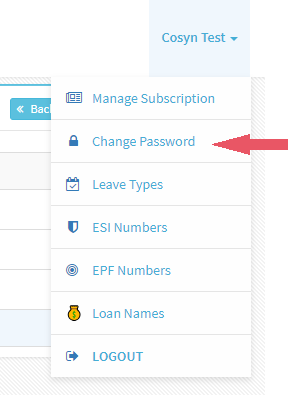
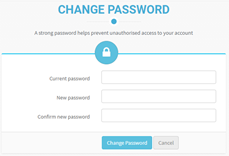
- Click on Change Password under Company Name
- Enter Current Password, New Password and Confirm New Password
- Click ‘Save’
ESI Numbers
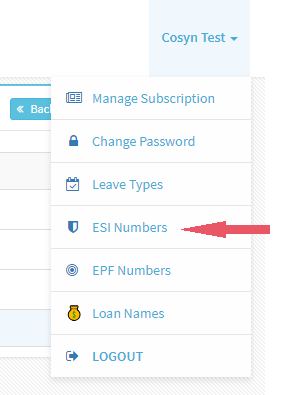

- Click on ESI Numbers under Company Name
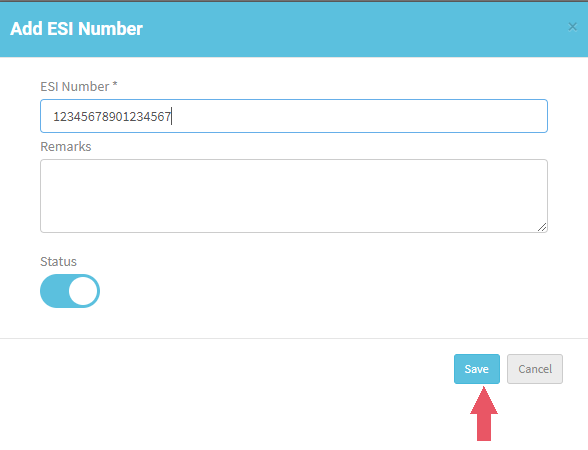
- Click on 'New ESI Number'
- Enter ESI Number and Remarks
- You can change the Status to Inactive when not required.
- To change status click edit and change status.
- ESI number must be 17-digit number
- Click ‘Save’
EPF Numbers
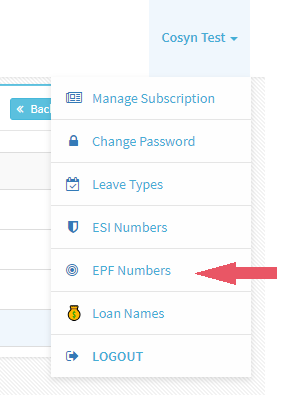
- Click on EPF Numbers under Company Name
- Click on 'New EPF Number'
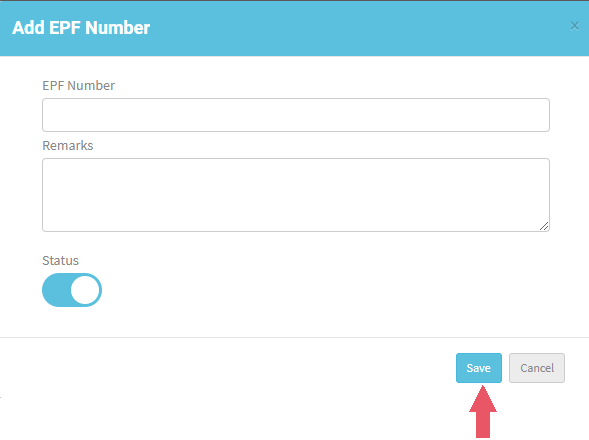
- Enter EPF Number and Remarks
- You can change the Status to Inactive when not required.
- To change status click edit and change status.
- Click ‘Save’

Loan Names
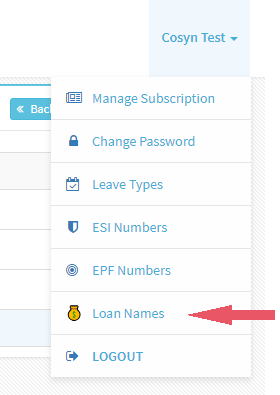
- Click on Loan Names under Company Name
- Click on 'New Loan Name'
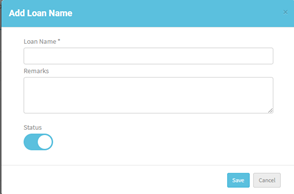
- Enter Loan Name and Remarks, click Save
- You can change the Status to Inactive when not required.
- To change status click edit and change status.
- Click ‘Save’